

Which Firestick to Buy for IPTV in 2026: 4K Max vs 4K vs 4K Select
The Firestick is still the most popular way to watch IPTV in the UK, but buying one is no longer simple. Amazon now sells sticks with two different systems under very similar names, and only one of them can run IPTV players. Buy the wrong one and you end up with a stick that cannot install the app you need. This guide compares every current model, explains what actually matters for live TV, and tells you exactly which one to choose.
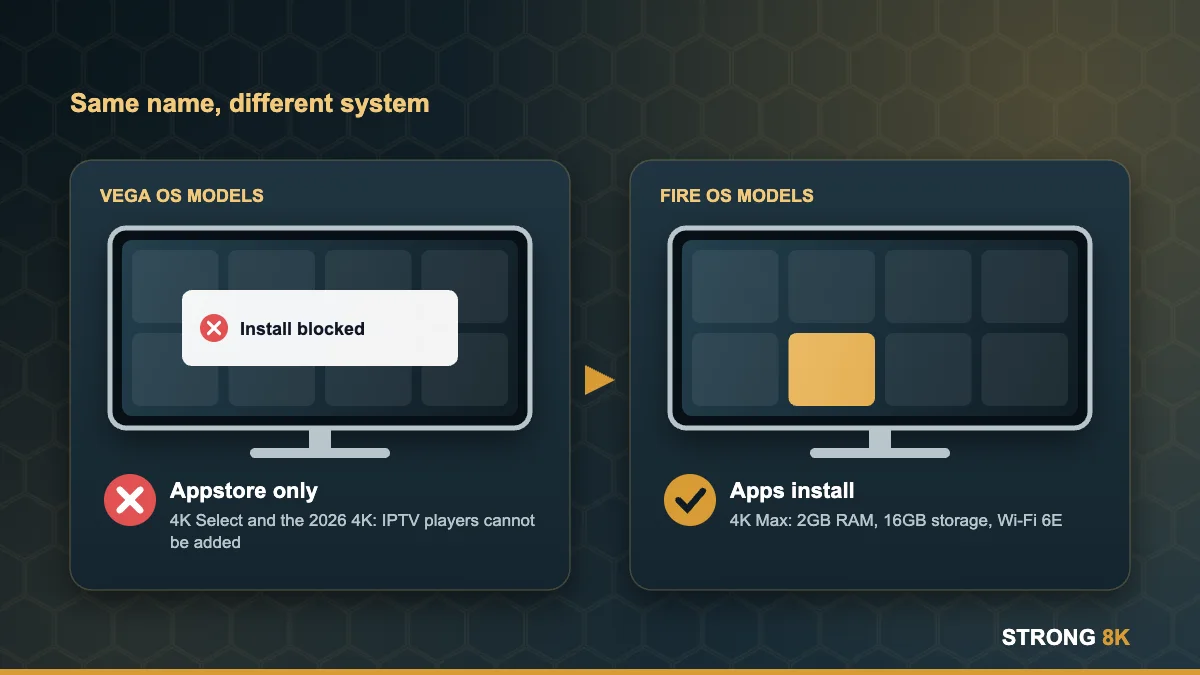
Quick answer: buy the Fire TV Stick 4K Max. It runs Fire OS, so IPTV apps install normally, and it has the most memory, the fastest processor and the best Wi-Fi in the range. Avoid the Fire TV Stick 4K Select and the new 3rd generation Fire TV Stick 4K for IPTV, because both run Vega OS and cannot sideload apps.
Current Fire TV Sticks Compared for IPTV
| Model | System | RAM | Storage | Wi-Fi | IPTV verdict |
|---|---|---|---|---|---|
| Fire TV Stick 4K Max (2nd gen) | Fire OS | 2GB | 16GB | Wi-Fi 6E | Best choice |
| Fire TV Stick 4K (2nd gen, 2023) | Fire OS | 2GB | 8GB | Wi-Fi 6 | Good if you find one new |
| Fire TV Stick HD (1st gen, 2024) | Fire OS | 1GB | 8GB | Wi-Fi 5 | Budget, HD TVs only |
| Fire TV Stick 4K (3rd gen, 2026) | Vega OS | 1GB | 8GB | Wi-Fi 6 | Avoid for IPTV |
| Fire TV Stick 4K Select (2025) | Vega OS | 1GB | 8GB | Wi-Fi 5 | Avoid for IPTV |
| Fire TV Stick HD (2nd gen, 2026) | Vega OS | Not listed | Not listed | Wi-Fi 6 | Avoid for IPTV |
If you already own one of the Vega models, read our guide on why new Fire TV Sticks will not install IPTV apps for your options.
What Actually Matters for IPTV on a Firestick
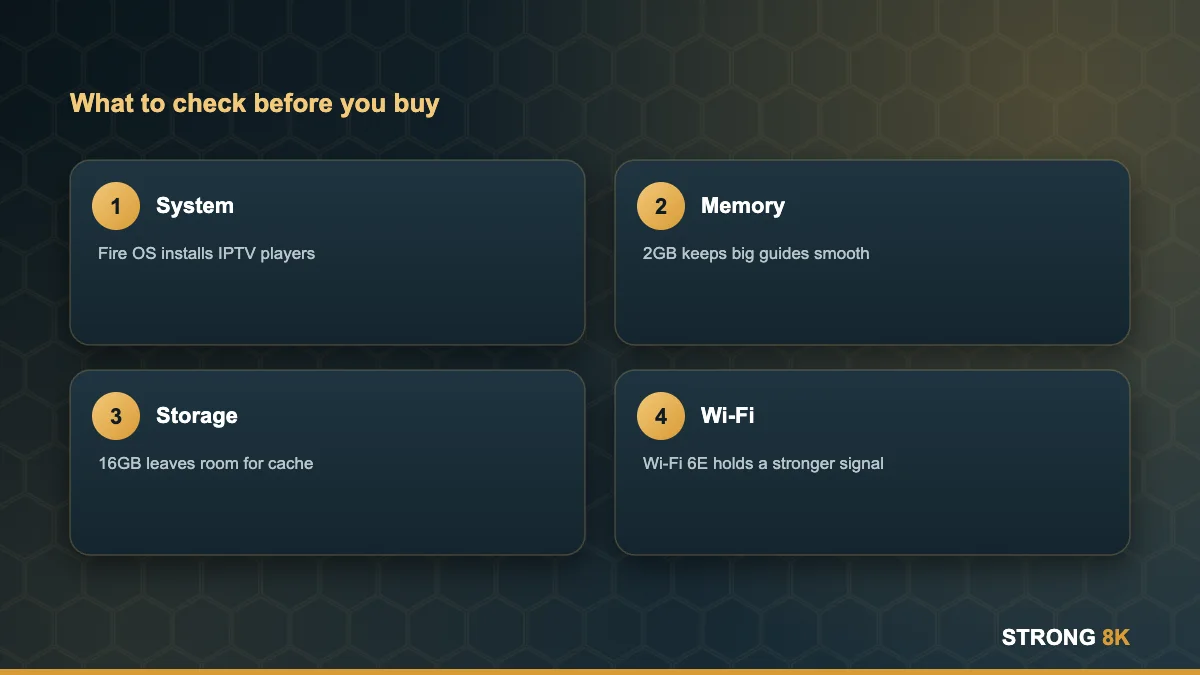
The operating system comes first
Nothing else matters if the stick cannot install your player. Fire OS models let you turn on Developer options and install apps with Downloader. Vega OS models only run apps from the Amazon Appstore.
Memory decides how smooth it feels
IPTV players load large channel lists, programme guides and posters for thousands of films. With 2GB of RAM the 4K Max scrolls through a full guide and switches channels quickly. On 1GB models the same app is more likely to stutter, reload or close when the list is big.
Storage fills up faster than you think
Players cache artwork and guide data. With 16GB the 4K Max has room for a player, a backup player and your normal apps. On 8GB sticks you will be clearing the cache more often. Our loading screen fix shows how.
Wi-Fi quality reduces buffering
The 4K Max supports Wi-Fi 6E, which can use the less crowded 6GHz band on a compatible router. Even on a normal Wi-Fi 5 or Wi-Fi 6 router, its newer radio holds a stronger signal than older sticks. If your TV is far from the router, read Ethernet vs Wi-Fi for IPTV.
Which Firestick Should You Buy?
- Most people: Fire TV Stick 4K Max. Best for 4K TVs, big channel lists and long term updates.
- Older HD TV in a bedroom: Fire TV Stick HD 1st generation, if you can still find it new and confirm it runs Fire OS.
- Heavy users or several profiles: consider an Android TV box with an Ethernet port. See our Android TV box guide.
- Not sure at all: start with our best device for IPTV guide, which compares sticks, boxes and smart TVs.
Tell us your TV model and we will recommend the right stick before you spend anything.
Ask our teamBuyer Safety Checklist
These checks take two minutes and save a wasted purchase.
- Check the generation and the words “Fire OS” or “Vega OS” in the product details, not just the name.
- Check the RAM. 2GB means a Fire OS model; 1GB on a 4K stick from 2025 onwards almost always means Vega.
- Buy from Amazon or a major UK retailer so you have a clear return window.
- For a used stick, ask for a photo of Settings, My Fire TV, About before you pay.
- Set it up and install your player in the first few days, so you can still return it if anything is wrong.
Setting Up Your New Firestick for IPTV
Once your stick arrives, connect it to the TV with the included power adapter rather than the TV USB port, which can cause random restarts. Then follow our step by step Firestick install guide. For the player itself we recommend the Strong 8K app, and our list of the best IPTV players for Firestick covers the alternatives.
Before choosing a plan, check how the picture looks on your own TV and connection with a free trial.
Your new Firestick is ready? Test Strong 8K free tonight.
Start free trialFrequently Asked Questions
What is the best Firestick for IPTV in 2026?
The Fire TV Stick 4K Max. It runs Fire OS so IPTV players install normally, and it has 2GB of RAM, 16GB of storage and Wi-Fi 6E.
Is the Fire TV Stick 4K Select good for IPTV?
No. It runs Vega OS, which cannot install apps outside the Amazon Appstore, so most IPTV players cannot be added.
Is the new Fire TV Stick 4K (2026) good for IPTV?
No. The 3rd generation Fire TV Stick 4K runs Vega OS 2.0 with 1GB of RAM. Choose the 4K Max instead.
Can a Firestick handle 4K IPTV?
Yes. The 4K Max and the 2nd generation 4K both decode 4K HDR streams. You also need around 25 Mbps of stable speed for each 4K screen.
Do I need a VPN on a Firestick for IPTV?
It is optional. A VPN can add privacy but may also add delay. See our VPN setup guide for settings that avoid buffering.
More Strong 8K guides
Read next: Vega OS explained, installing IPTV on Firestick, the best IPTV players for Firestick and how to stop IPTV buffering. Browse all IPTV guides, or contact our support team if you need help. Running your own IPTV business? See our reseller panel.