

What Internet Speed Do You Need for IPTV? HD, 4K and 8K Explained

When IPTV buffers, the first thing most people blame is their broadband. Often that is not the real problem. UK broadband has improved fast: according to Ofcom’s Connected Nations 2025 report, superfast broadband now reaches 98 percent of UK homes, gigabit capable broadband reaches 87 percent, and the average maximum download speed available is around 285 Mbps. Yet buffering is still common, because the speed that reaches your TV can be far lower than the speed your provider sells. This guide shows how much speed IPTV really needs, how to measure what your TV actually gets, and what to fix first.
Quick answer: plan for about 10 Mbps for HD, 15 Mbps for Full HD, 25 Mbps for 4K and 50 Mbps for 8K, for each screen watching at the same time, plus some spare for everything else in the house. Stability matters as much as speed, so test on the TV itself, not on your phone next to the router.
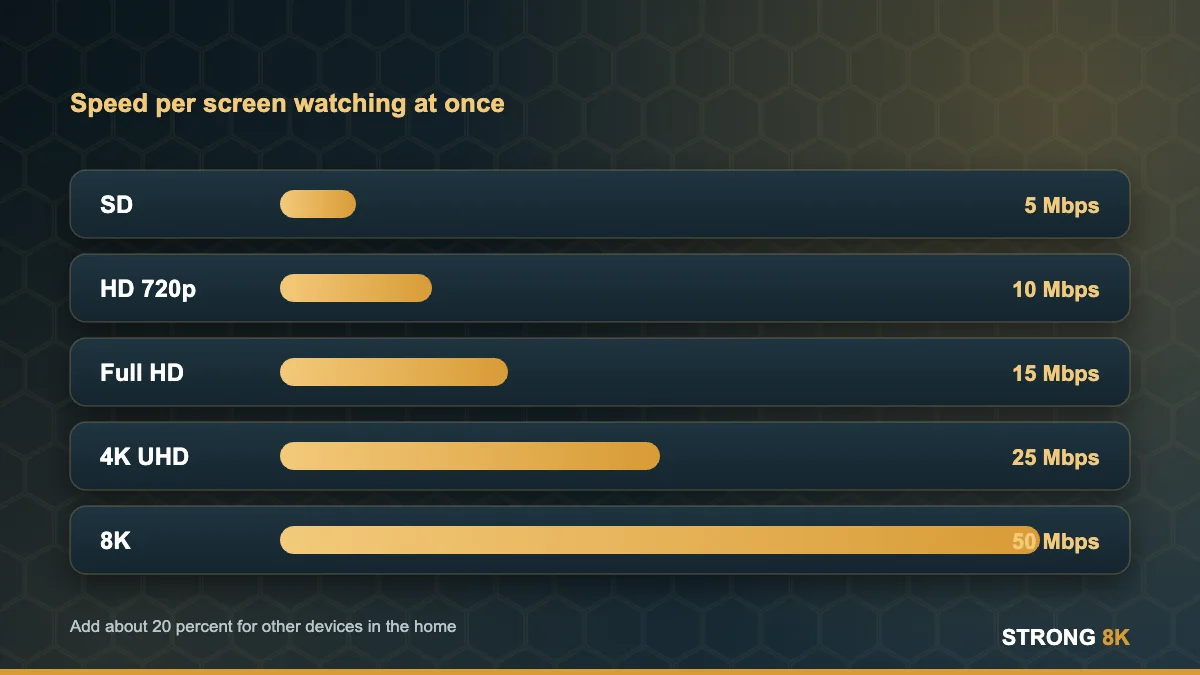
IPTV Speed Requirements by Quality
| Picture quality | Speed per screen | Approx. data per hour |
|---|---|---|
| SD | 5 Mbps | about 2 GB |
| HD 720p | 10 Mbps | about 4.5 GB |
| Full HD 1080p | 15 Mbps | about 7 GB |
| 4K UHD | 25 Mbps | about 11 GB |
| 8K | 50 Mbps or more | about 22 GB |
These figures include headroom for live sport, where fast movement pushes the bitrate up. Data per hour is worked out from the speed: 25 Mbps for one hour is about 11 GB. Ofcom reports the average UK home already uses around 583 GB a month, so check that your package is unlimited if you watch a lot of 4K.
A note on 8K: very little live content is broadcast in true 8K today. Most channels are HD or Full HD, with 4K for selected sport and films. You do not need an 8K level connection to enjoy a service like Strong 8K.
How Much Speed for Your Household?
Add up the screens that watch at the same time, then add about 20 percent for phones, laptops and updates running in the background.
- One 4K TV: 30 Mbps or more.
- One 4K TV and one HD TV: 45 Mbps or more.
- Two 4K TVs: 60 Mbps or more.
- Busy family with several screens and gaming: 100 Mbps or more, ideally full fibre.
If you share one subscription across rooms, see how to watch IPTV on two TVs.

Why You Can Buffer on Fast Broadband
- Weak Wi-Fi at the TV. A 500 Mbps line can drop to 15 Mbps through two walls. This is the most common cause by far.
- Busy evenings. Speeds on some networks dip between 8pm and 11pm, exactly when live sport is on.
- Unstable connection. Short drops, called jitter or packet loss, cause freezing even when the average speed looks fine.
- Old devices. Older sticks have weaker Wi-Fi radios and less memory.
- Everything else at once. Game downloads, cloud backups and video calls share the same line.
How to Test Your Real Speed
- Run the test on the TV device itself. On a Firestick or Android box, install a speed test app or use a browser on the device.
- Test in the evening, when you usually watch.
- Run it three times and note the lowest result, not the best.
- Compare with a test next to the router. A big gap means Wi-Fi is the problem, not your broadband.
Send us your speed test result and we will tell you which quality your connection can handle.
Check my speedWhat to Fix First
If the test near the router is fast but the TV is slow, improve the link between them. The order that helps most people:
- Use a cable. Our Ethernet vs Wi-Fi guide covers adapters for sticks and powerline kits.
- Move the router or add mesh. See the router and mesh setup guide.
- Switch the device to the 5GHz band if it is close to the router.
- Lower the stream quality on busy evenings.
- Work through our full IPTV buffering fix for app and device settings.
If the speed is low even next to the router, contact your provider or consider an upgrade. With full fibre now available to most UK homes, it is often cheaper than people expect. Our guide to how much IPTV costs in the UK helps you plan the full monthly cost.
Connection checked? Try Strong 8K free and see how smooth it runs.
Start free trialFrequently Asked Questions
What internet speed do I need for IPTV?
About 10 Mbps for HD, 15 Mbps for Full HD, 25 Mbps for 4K and 50 Mbps for 8K, for each screen watching at the same time.
Is 30 Mbps enough for IPTV?
Yes for one 4K screen or two HD screens, as long as the connection is stable and the TV has a good Wi-Fi signal or a cable.
How much data does IPTV use?
Roughly 4.5 GB per hour in HD and about 11 GB per hour in 4K. An unlimited broadband package is recommended.
Why does IPTV buffer when my speed test is fast?
Usually because the test was done near the router. The TV may get much less through walls. Test on the TV device and consider a cable.
Do I need 8K internet for Strong 8K?
No. Most live channels are HD or Full HD with 4K for selected content. 25 Mbps per 4K screen is plenty.
More Strong 8K guides
Read next: the IPTV buffering fix, Ethernet vs Wi-Fi, router setup for IPTV and the best device for IPTV. Browse all IPTV guides, or contact our support team if you need help. Running your own IPTV business? See our reseller panel.