
Best Device for IPTV in 2026: Firestick, Android Box or Smart TV?

The device you watch on decides more about your IPTV experience than most people expect. The same subscription can look perfect on one box and keep freezing on another. Choosing well means looking at three things: whether the device can run a good IPTV player, how much memory it has for big channel lists, and how it connects to your internet. This guide compares every common option in the UK and gives you a clear pick for each situation.
Quick answer: for most homes the best device for IPTV is the Fire TV Stick 4K Max or a Google TV box with an Ethernet port. Use your smart TV’s own app only if it runs a reliable player. Avoid new Fire TV Sticks that run Vega OS, because they cannot install IPTV players.
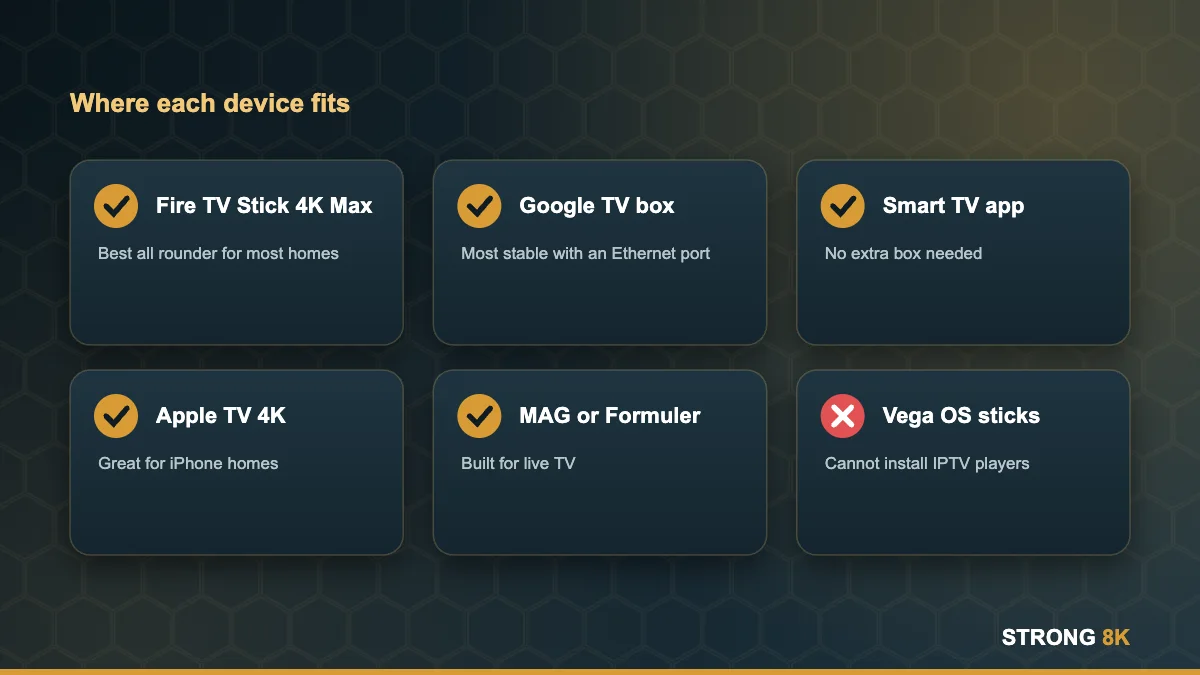
IPTV Devices Compared
| Device | Typical price | Best for | Watch out for |
|---|---|---|---|
| Fire TV Stick 4K Max | £40 to £70 | Most homes, 4K TVs | Wi-Fi only unless you add an adapter |
| Google TV Streamer | about £99 | Large households, wired setups | Higher price |
| Other Android TV boxes | £40 to £200 | Ethernet, more storage | Uncertified boxes get few updates |
| Samsung or LG smart TV app | Free with the TV | No extra box needed | Fewer player choices, slower menus |
| Apple TV 4K | £129 and up | iPhone households | Players are paid apps in the App Store |
| MAG or Formuler box | £60 to £150 | Dedicated live TV | Older interfaces, limited apps |
| Vega OS Fire TV Sticks | £25 to £50 | Mainstream apps only | Cannot install IPTV players |
How to Choose: Four Questions
1. Can it run a good IPTV player?
This is the deal breaker. Fire OS sticks, Android TV and Google TV boxes, Apple TV and most recent Samsung and LG TVs can all run a proper player such as the Strong 8K app. New Fire TV Sticks with Vega OS cannot. Read Vega OS explained if you are unsure about a Fire TV.
2. Does it have enough memory?
Live TV apps hold thousands of channels and a full programme guide. Aim for at least 2GB of RAM. Devices with 1GB work for small lists but often lag, reload or crash on large ones.
3. How does it connect?
A wired connection is the single biggest fix for buffering. Boxes with an Ethernet port, like the Google TV Streamer, have a clear advantage. Sticks can use a USB Ethernet adapter. Our Ethernet vs Wi-Fi guide explains when it is worth it.
4. Will it keep getting updates?
Big brand devices receive security and app updates for years. Cheap unbranded boxes often stop updating within months, which leads to apps that no longer install or play.

Tell us which TV and internet you have and we will suggest the best device for your home.
Get a recommendationOur Pick for Each Situation
- One 4K TV, normal Wi-Fi: Fire TV Stick 4K Max. See which Firestick to buy.
- Main TV close to the router: Google TV Streamer or another certified Android TV box with Ethernet. See our Android TV box guide.
- New Samsung or LG TV, no spare HDMI: use the TV app. Follow the Samsung or LG guide.
- Whole family on several TVs: one device per TV and a plan with enough connections. See watching IPTV on two TVs.
- iPhone household: Apple TV 4K with our Apple TV setup guide.
Do Not Forget Your Internet
Even the best device buffers on a weak connection. Plan for about 25 Mbps of stable speed per 4K screen and 10 to 15 Mbps per HD screen. Our guide to the internet speed you need for IPTV explains how to test yours, and the router setup guide shows quick settings that make Wi-Fi more stable.
When your device is ready, use our installation guides and try a free trial to see how channels look on your own screen.
Device sorted? Try Strong 8K free and see the quality for yourself.
Start free trialFrequently Asked Questions
What is the best device for IPTV in the UK?
For most people the Fire TV Stick 4K Max. For a TV near the router, a Google TV box with Ethernet is even more stable.
Is a smart TV good enough for IPTV?
Often yes. Recent Samsung and LG TVs run good players. Older TVs can be slow with big channel lists, so a stick or box usually feels faster.
How much RAM do I need for IPTV?
At least 2GB. Devices with 1GB can work but are more likely to lag or close with large channel lists.
Is an Android TV box better than a Firestick?
A good certified box with Ethernet and more storage can be more stable. A cheap uncertified box is usually worse than a Firestick 4K Max.
Can I use the same IPTV subscription on different devices?
Yes. You can log in on any supported device. The number of devices watching at the same time depends on your plan connections.
More Strong 8K guides
Read next: the best Firestick for IPTV, the best Android TV box, IPTV speed requirements and IPTV vs cable. Browse all IPTV guides, or contact our support team if you need help. Running your own IPTV business? See our reseller panel.