
Strong 8K IPTV Error Code 458? What It Means and How to Fix It
The channel starts to load, then a bar at the bottom says “An error occurred: code 458. Retrying (2/5)” and the count climbs until the stream gives up. You will mostly see this in TiviMate and similar players. Code 458 means the server stopped sending the stream to your device, and with IPTV the most common reason by far is that your account is already playing on as many screens as your plan allows.
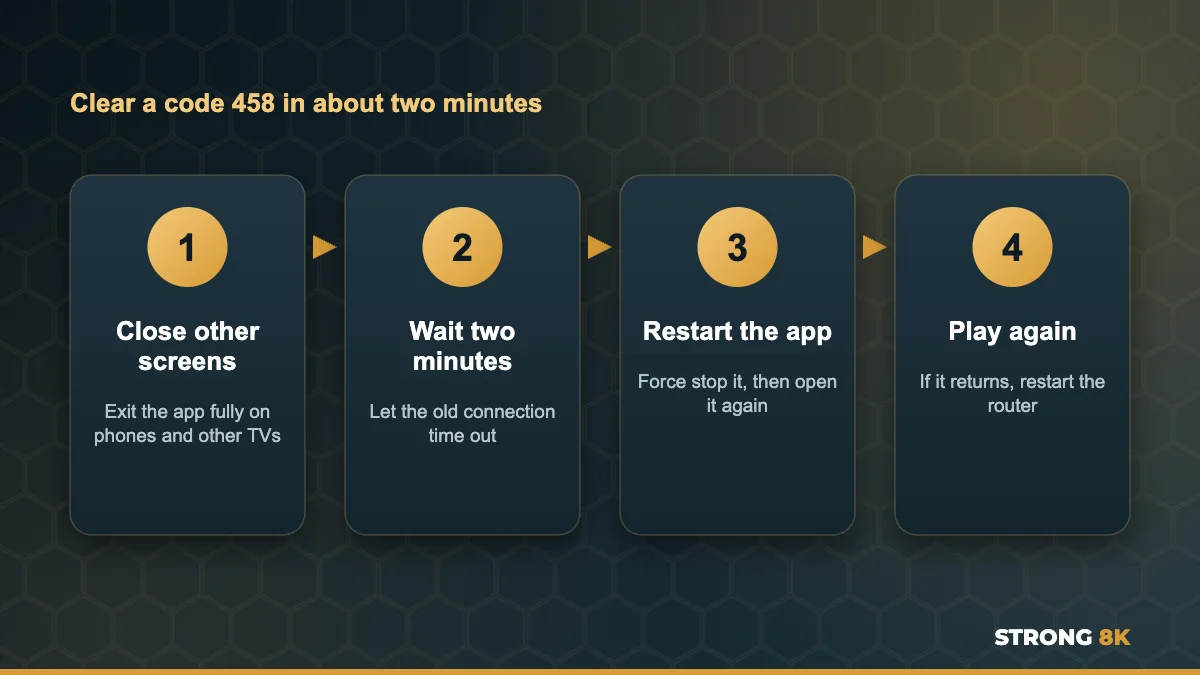
Quick answer: close the IPTV app fully on every other phone, tablet and TV, wait two minutes, then restart the app and play the channel again. If it keeps coming back when only one screen is on, restart your router, clear the app cache and update the app.
What Error Code 458 Means
Behind the scenes, your app asks the server for a stream and keeps the connection open while you watch. Code 458 appears when that connection is cut before the stream arrives. The app then retries a few times, which is the counter you see. For IPTV, the cut usually happens for one of these reasons:
| Cause | How common | How you can tell |
|---|---|---|
| Too many screens for your plan | Very common | It happens when someone else is watching |
| An old connection still open | Common | It happens right after you switched device or channel quickly |
| A temporary app or network glitch | Sometimes | It happens at random, even on one screen |
| A VPN or network blocking the stream | Sometimes | It only happens on one network or with a VPN on |
How Device Limits Work
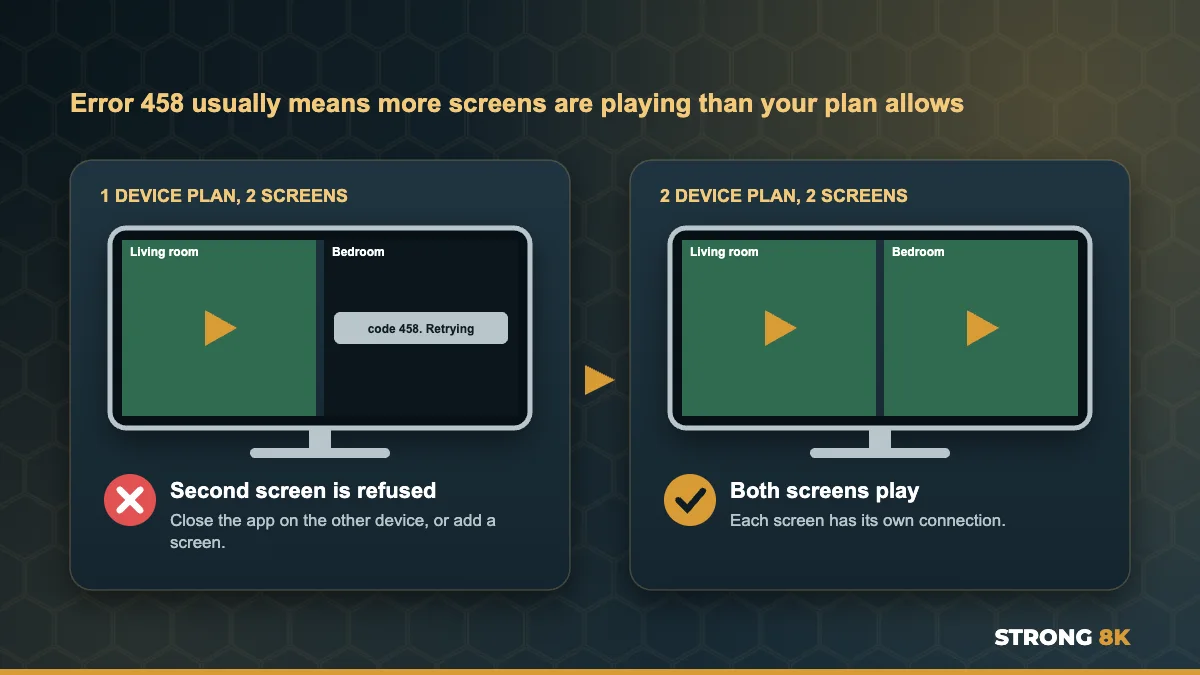
Each Strong 8K plan covers a set number of screens playing at the same time: 1, 2 or 3 devices. You can install the app on as many devices as you like, but only that number can play at once. When one more screen starts, the server refuses it, and players like TiviMate report the refusal as code 458.
How to Fix Error Code 458
1. Close the App on Every Other Device
Phones and tablets are the usual culprits, because the app keeps running in the background after you leave it. Fully close the IPTV app on every other device: on phones, swipe it away from the recent apps list, and on TVs exit the app rather than just pressing Home.
2. Wait Two Minutes
When you switch quickly from one device to another, or flick fast between channels, the server may still count the old connection for a short time. Waiting a minute or two lets it close. Then open the app and play the channel again.
3. Restart the App
Force stop the app and open it again so it starts a fresh connection. On Firestick and Android TV go to Settings, Applications, Manage Installed Applications, choose the app and select Force stop. Clear the cache at the same time if the error keeps coming back.
4. Restart Your Router
If the error appears even with a single screen, unplug the router for 30 seconds and wait for steady lights. This gives your home a fresh connection and clears glitches that can interrupt streams.
Code 458 with only one screen on? Send us a photo of the error and your device, and we will check your connections on our side.
Check My Connections5. Update the App
Older versions of some players report connection problems more often. Update TiviMate or your player from its official source, or reinstall it. If you want a simple alternative, the free Strong 8K app (8K Pro) works with the same login.
6. Check Your VPN
A VPN can help when your internet provider blocks streams, but a busy VPN server can also cut connections. Turn the VPN off and test, or connect to a different VPN server. If the error only happens on your home internet without a VPN, our guide to fix Strong 8K IPTV no connection problems explains how to check for provider blocks.
7. Add a Screen if Your Household Needs It
If code 458 appears whenever two people watch at the same time, your plan simply has fewer screens than your household uses. Strong 8K offers 2 device plans from £18 and 3 device plans from £25, so every TV can play its own channel. See all options on the IPTV subscription page, and our guide to watch IPTV on two TVs at the same time explains the setup.
Code 458 vs Similar Errors
| Error | What it means | Guide |
|---|---|---|
| Code 458 | The stream connection was cut, usually a screen limit | This guide |
| Code 521 or cannot connect | The app could not reach the server at all | No connection fixes |
| Login failed | The details were not accepted | Login failed fixes |
| Buffering, then freezing | The stream arrives too slowly | Buffering fixes |
Want to watch on more screens? Tell us how many TVs and devices your home uses, and we will suggest the right plan.
Find My PlanFrequently Asked Questions
What does code 458 mean on TiviMate?
The server stopped sending the stream to your device. With IPTV it most often means your account is already playing on the maximum number of screens for your plan.
How do I fix code 458 retrying?
Close the app on every other device, wait two minutes, then force stop and reopen the app. If it continues with one screen, restart your router and update the app.
Can I install Strong 8K on more devices than my plan?
Yes. You can install it on as many devices as you like. The plan limits how many screens play at the same time.
Why do I get code 458 when nobody else is watching?
An old connection may still be open after switching devices, or a phone may be running the app in the background. Wait two minutes and close the app everywhere.
How do I stop code 458 for good?
Choose a plan with enough screens for your household, and close the app on devices you are not using.
Get Back to Watching
Close the app on other screens, wait a moment and restart it, and code 458 usually clears straight away. For other problems, see our complete Strong 8K IPTV troubleshooting guide, or contact Strong 8K IPTV support.