
Strong 8K IPTV “No Signal Found”? What It Means and How to Fix It
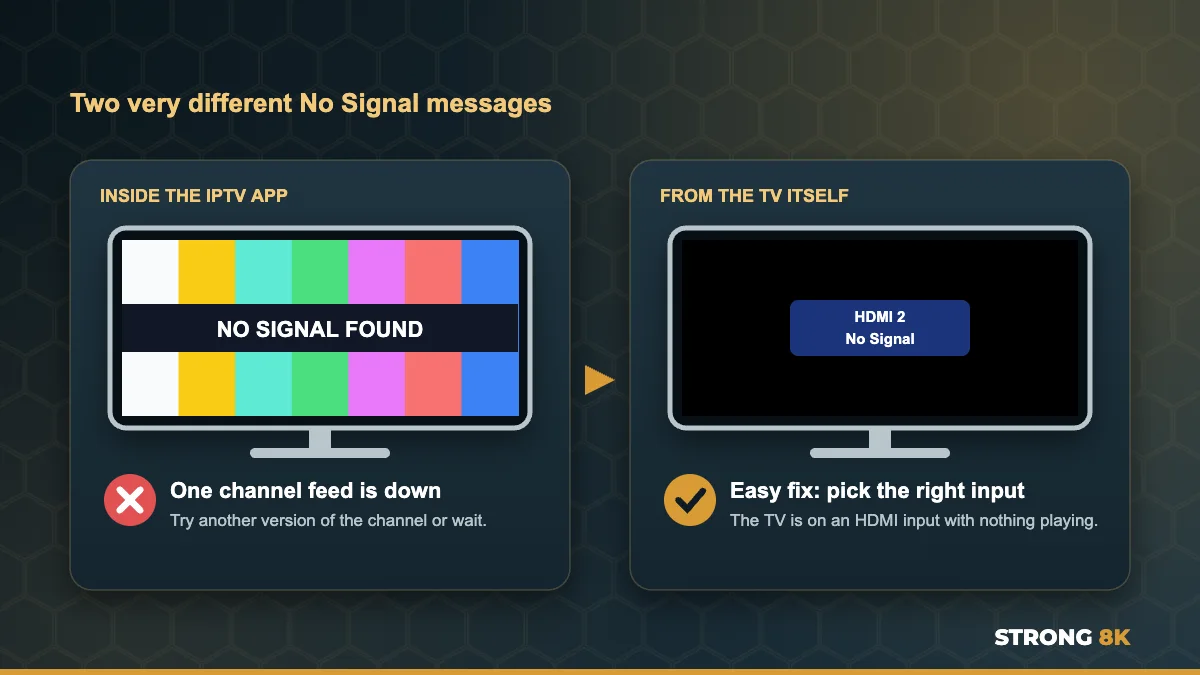
Colour bars fill the screen and a black band across the middle reads “NO SIGNAL FOUND”. Or perhaps your TV shows a small box saying “No Signal” before the IPTV app even opens. These two messages look similar but mean completely different things, and knowing which one you have tells you exactly what to do. Neither of them means your Strong 8K subscription has stopped working.
Quick answer: if the colour bars appear inside the IPTV app on one channel, that channel’s feed is down, so try another version of it or wait a few minutes. If the TV itself says No Signal, it is on the wrong HDMI input or the device is off, so press Source or Input and choose the HDMI port your Firestick or box uses.
Which No Signal Message Do You Have?
| What you see | What it means | What to do |
|---|---|---|
| Colour bars with NO SIGNAL FOUND, inside the app | That channel’s source feed is not reaching the server | Try another version, wait, or report it |
| Same message on many channels | A wider feed or connection problem | Restart, then check other channels |
| Small box from the TV: HDMI 1 No Signal | The TV is not receiving anything on that input | Choose the right input, check the device and cable |
| Black screen with no message | Usually your player or device | See our black screen guide |
If the Colour Bars Are Inside the IPTV App
When a channel shows colour bars and NO SIGNAL FOUND, the server is telling you that the source for that channel is not coming through right now. Your app, device and account are working, because the message itself came from the server. This is closely related to the “Channel will be back soon” holding screen, which we explain in our guide to Strong 8K IPTV channel will be back soon.
1. Try Another Version of the Channel
Most popular channels are listed in more than one quality, such as FHD, HD and SD, and each version can come from a different source. Search for the channel by name in your app and try the other versions. One of them usually works straight away.
2. Check Other Channels
Play a few channels from different categories. If they work, there is nothing to fix on your side, so there is no need to restart your router or reinstall anything.
3. Wait a Few Minutes and Try Again
Source feeds often drop for a short time, for example when a broadcaster switches its signal before a live event. Go back to the channel after a few minutes.
4. Refresh the Channel List
If one channel shows the message for a long time while its other versions work, refresh or reload the playlist in your app settings so the app has the latest channel links.
5. Report It if It Lasts
If the same channel shows NO SIGNAL FOUND for more than an hour, send our team the channel name and the time. We check the source on our side and tell you which version to use meanwhile.
NO SIGNAL FOUND on a channel you need? Send us the channel name and we will point you to a version that works.
Report a ChannelIf the TV Itself Says No Signal
If you see a small box from the TV, such as “HDMI 2, No Signal”, the TV is not receiving any picture on the input it is set to. The IPTV app is not involved at all yet. This is usually the quickest fix of all.
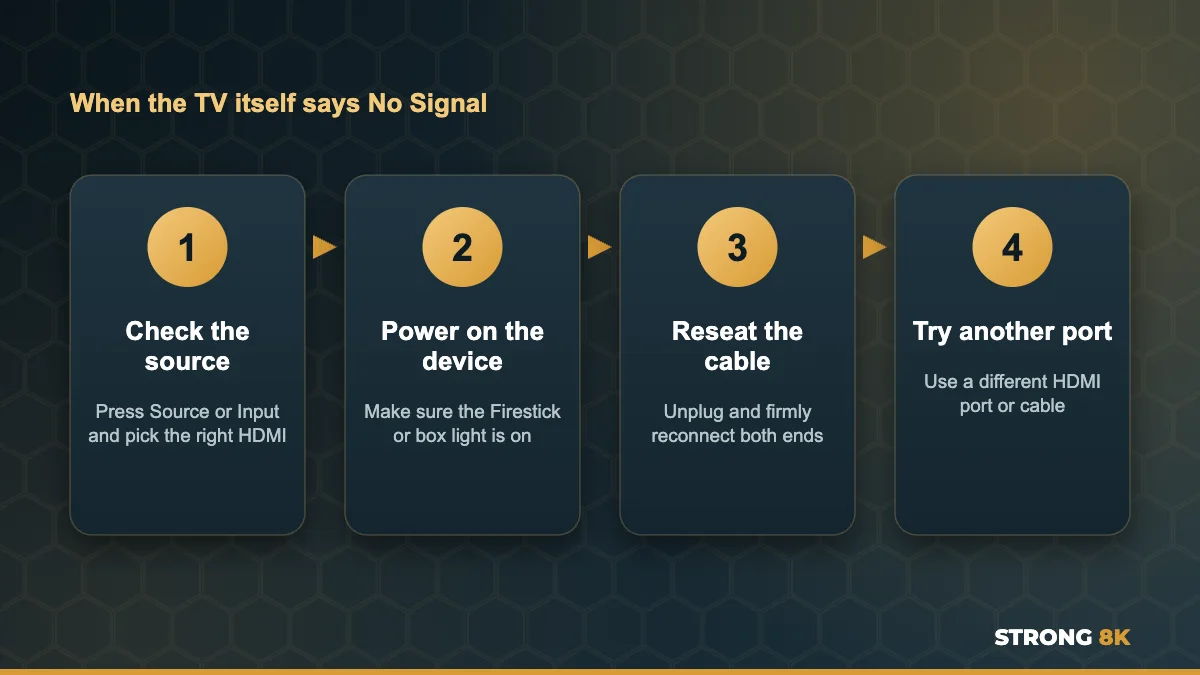
- Pick the right input. Press Source, Input or the arrow icon on your TV remote and choose the HDMI port your Firestick or box is plugged into. The port number is printed next to the socket on the TV.
- Check the device is on. The Firestick or box needs power. Use the power adapter that came with it rather than a TV USB port, which may not give enough power.
- Reseat the cable. Unplug the HDMI cable or Firestick and push it back in firmly at both ends.
- Try another HDMI port or cable. A faulty port or cable gives the same message. Avoid cheap extension leads.
Once the device picture appears, open the IPTV app as normal. If the app opens but channels stay black, our guide to the Strong 8K IPTV black screen covers what to check next.
When Many Channels Show No Signal
If several channels show colour bars at once, restart your device and router from the power, then test again. If it continues across the whole list, check your connection and login with our guides to Strong 8K IPTV not loading and Strong 8K IPTV no connection, then message our team.
Frequently Asked Questions
What does NO SIGNAL FOUND mean on IPTV?
When it appears with colour bars inside the app, the source feed for that channel is not reaching the server. Try another version of the channel or wait a few minutes.
Why does my TV say No Signal when I turn it on?
The TV is set to an HDMI input with nothing playing. Press Source or Input and choose the port your Firestick or box uses, and check the device has power.
Does No Signal mean my Strong 8K subscription has expired?
No. An expired plan shows a login or account error. No signal messages are about a channel feed or the TV input.
How long does NO SIGNAL FOUND last?
Usually a few minutes. If one channel shows it for more than an hour, send our team the channel name.
Should I restart my router for a no signal channel?
Only if many channels show it. If other channels play, the problem is that one feed, not your connection.
Get Back to Watching
Colour bars inside the app mean one channel feed is down, so switch versions or wait. A No Signal box from the TV means the wrong input, so pick the right HDMI port. For other problems, see our complete Strong 8K IPTV troubleshooting guide, or contact Strong 8K IPTV support.