
Strong 8K IPTV “Channel Will Be Back Soon”? What It Means and What to Do
You switch to a channel and instead of the programme you see a dark screen with the words “Channel will be back soon.” It is frustrating, especially right before kick off, but this message is actually good news in one way: it tells you exactly where the problem is. Your app, your device and your Strong 8K subscription are working. That one channel is temporarily offline on the server, and the message is shown in its place.
Quick answer: try another version of the same channel (FHD, HD or SD), check that other channels play, and give it a few minutes. If the same channel still shows the message after an hour, send our team the channel name.
What “Channel Will Be Back Soon” Means
Every live channel reaches you from a source feed. When that feed stops for a moment, for example because the broadcaster changes its signal, the feed is being maintained, or there is a short technical fault, the server shows a holding screen instead of an error. That holding screen is the message you see. It is different from errors that come from your own device or app.
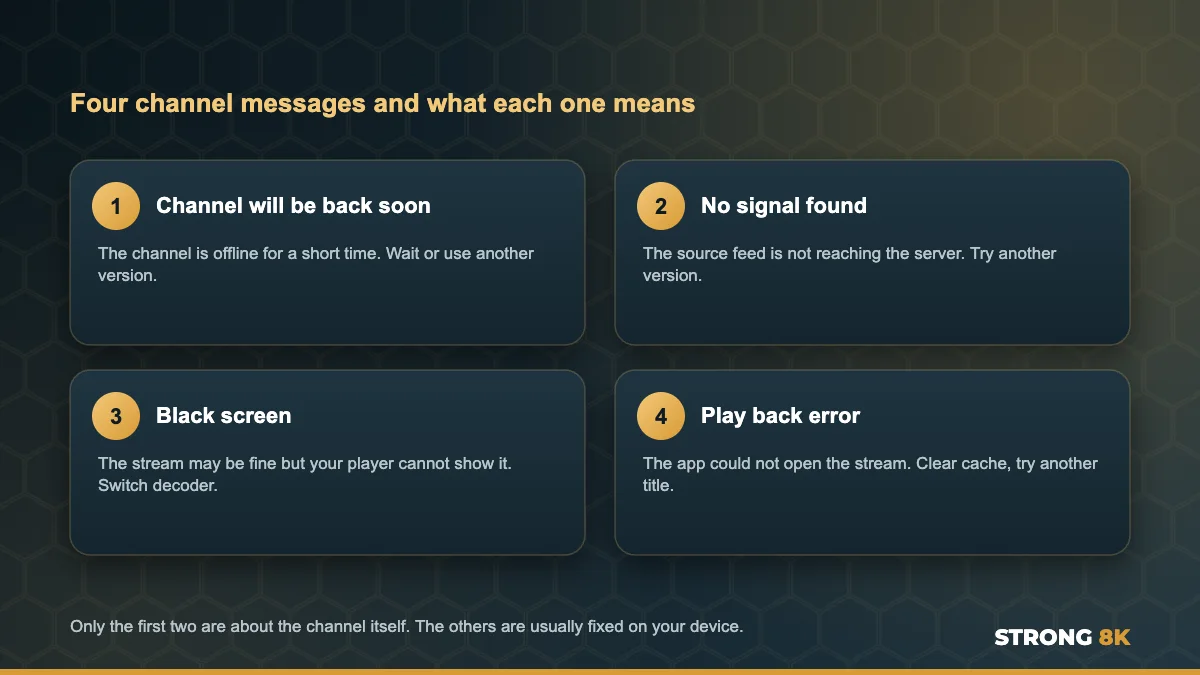
| Message | Where the problem is | What you can do |
|---|---|---|
| Channel will be back soon | That channel, on the server side | Use another version or wait |
| No signal found | The source feed for that channel | Use another version or wait |
| Black screen | Usually your player or device | Switch decoder, choose HD |
| PLAY BACK ERROR | Usually the app or the title | Clear cache, try another title |
If you see a black screen rather than a message, our guide to the Strong 8K IPTV black screen covers it, and a pop up error box is explained in our guide to the Strong 8K IPTV play back error.
What to Do, Step by Step
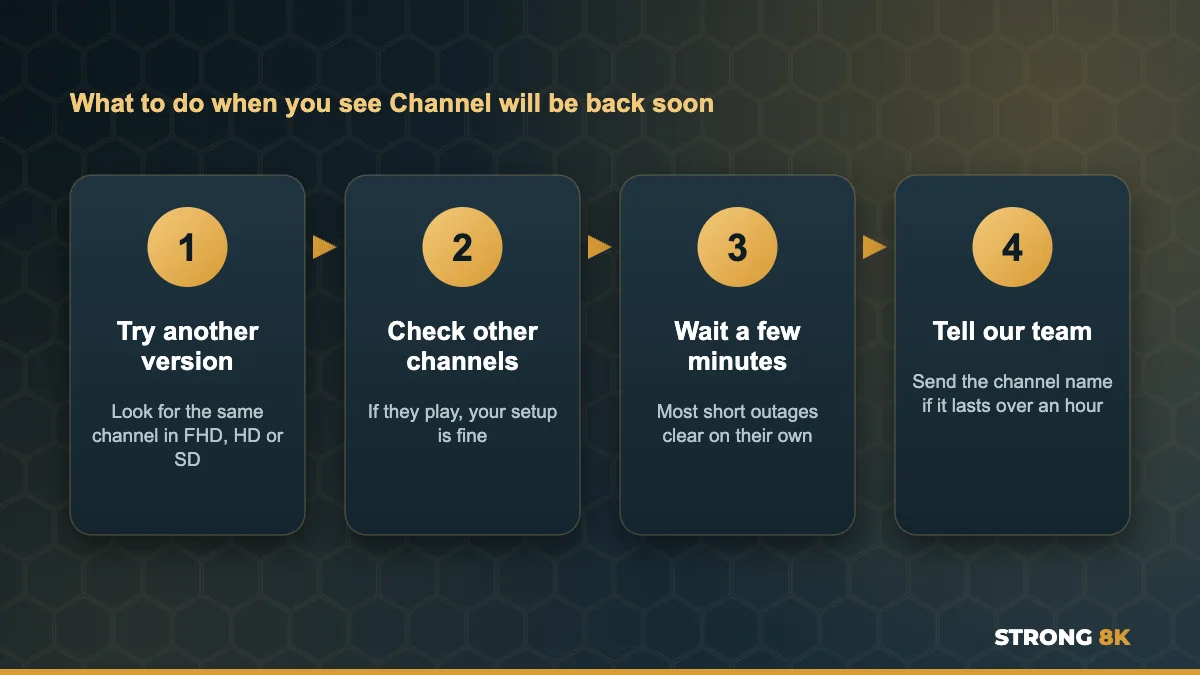
1. Try Another Version of the Channel
Popular channels are usually listed more than once, in different qualities such as FHD, HD and SD, and sometimes in more than one category. Each version can come from a different source, so when one shows the message, another often plays perfectly. Use the search in your app to find every version of the channel by name.
2. Check That Other Channels Play
Play two or three channels from different categories. If they work, nothing needs fixing on your side, so there is no point restarting your router or reinstalling the app. If many channels show the message or nothing plays, the problem is wider, and our guide on Strong 8K IPTV not loading is the right place to start.
3. Give It a Few Minutes
Most of these interruptions are short. Leave the channel for a few minutes, then go back to it. Changing to another channel and back makes the app request the stream again, which is quicker than restarting anything.
4. Refresh the Channel List
If the message stays for a long time while other versions work, your app may be holding an old link for that channel. Refresh or reload the playlist in the app settings so it downloads the latest channel list, then try again.
5. Tell Our Team
If the same channel shows the message for more than an hour, or during an event you want to watch, message us with the channel name and the time. We can check the source on our side and tell you which version to use in the meantime.
Big match coming up and your channel says it will be back soon? Message us the channel name and we will point you to a working version.
Find a Working VersionWhy It Happens More During Big Events
Live sport puts the biggest load on every part of the chain, from the broadcaster to the internet providers. Source feeds can change or restart around kick off, and that is when holding messages appear most. Two habits make a big difference: open the channel 15 minutes before the start, and note which version of your favourite channels works best so you can switch quickly. If your picture also buffers at busy times, our guide to stop IPTV buffering can help.
When It Is Not Just One Channel
If several channels show the message at the same time, or the message appears on every channel, check your connection and login. Restart your router and device from the power, and make sure your subscription is active. An expired plan or an app that cannot reach the server shows different errors, which we cover in our guides to fix Strong 8K IPTV login failed and fix Strong 8K IPTV no connection.
Several channels down at once? Send us a photo and your device, and our team will check your account and the channels straight away.
Chat With SupportFrequently Asked Questions
What does Channel will be back soon mean on IPTV?
That channel is temporarily offline on the server, so a holding message is shown instead. Your app, device and subscription are working. Try another version of the channel or wait a few minutes.
How long does Channel will be back soon last?
Usually only a few minutes. If the same channel shows the message for more than an hour, send our team the channel name so we can check it.
Should I restart my router when I see this message?
Not if other channels play. The message is about that one channel, so restarting your router or reinstalling the app will not change it.
Why do I see this message more during football matches?
Live events put extra load on source feeds, and feeds can restart around kick off. Open the channel early and keep a second version ready.
Is Channel will be back soon a problem with my subscription?
No. An expired or blocked account shows a login or connection error instead, not this message.
Get Back to Watching
This message almost always clears on its own, and another version of the channel usually works right away. For other problems, see our complete Strong 8K IPTV troubleshooting guide, or contact Strong 8K IPTV support. New to Strong 8K? Try every channel yourself with a 24 hour IPTV free trial.